

GameSir G7 Pro Zenless Zone Zero Wireless Controller for Xbox Series X|S, Xbox One, PC, Android Mag-Res™ TMR Bluetooth Gaming
GameSir G7 Pro Zenless Zone Zero Wireless Controller for Xbox Series X|S, Xbox One, PC, Android Mag-Res™ TMR Bluetooth Gaming
- FREE SHIPPING
Unfortunately this item is sold-out!
Order in & get it by
Couldn't load pickup availability
Description
Description
SPECIFICATIONS
ABXY Switch Type: MICRO SWITCH
Battery Included: Yes
Brand Name: GameSir
Bumpers Switch Type: MICRO SWITCH
Certification: CE,FCC,RoHS
Compatible Brand/Model: Microsoft
Compatible Microsoft Model: Xbox One,xbox,Xbox One S,Xbox One X,Xbox Series S
Compatible Platform: xbox,PC,Android,steam
Connection: 2.4G wireless/wired for Xbox consoles and PC; Bluetooth 5.3 for Android
D-pad Switch Type: MICRO SWITCH
GameSir Model: G7 PRO
Hall Effect: Yes
High-concerned chemical: None
Interface Type: Bluetooth,2.4G,Type C
Joystick Sensor Module Brand/Type: TMR Joysticks
Model Number: GameSir G7 Pro Zenless Zone Zero
Origin: Mainland China
Package: Yes
RGB lighting joysticks: No
Support Software configuration: Yes
Trigger Button Type: Hall-Linear
Triggers: Hall Effect analog triggers with Micro Switch trigger stops
Type: Gamepads
Wear-resistant joysticks: Yes
Working Platform: Xbox Series X|S, Xbox One, PC, Android
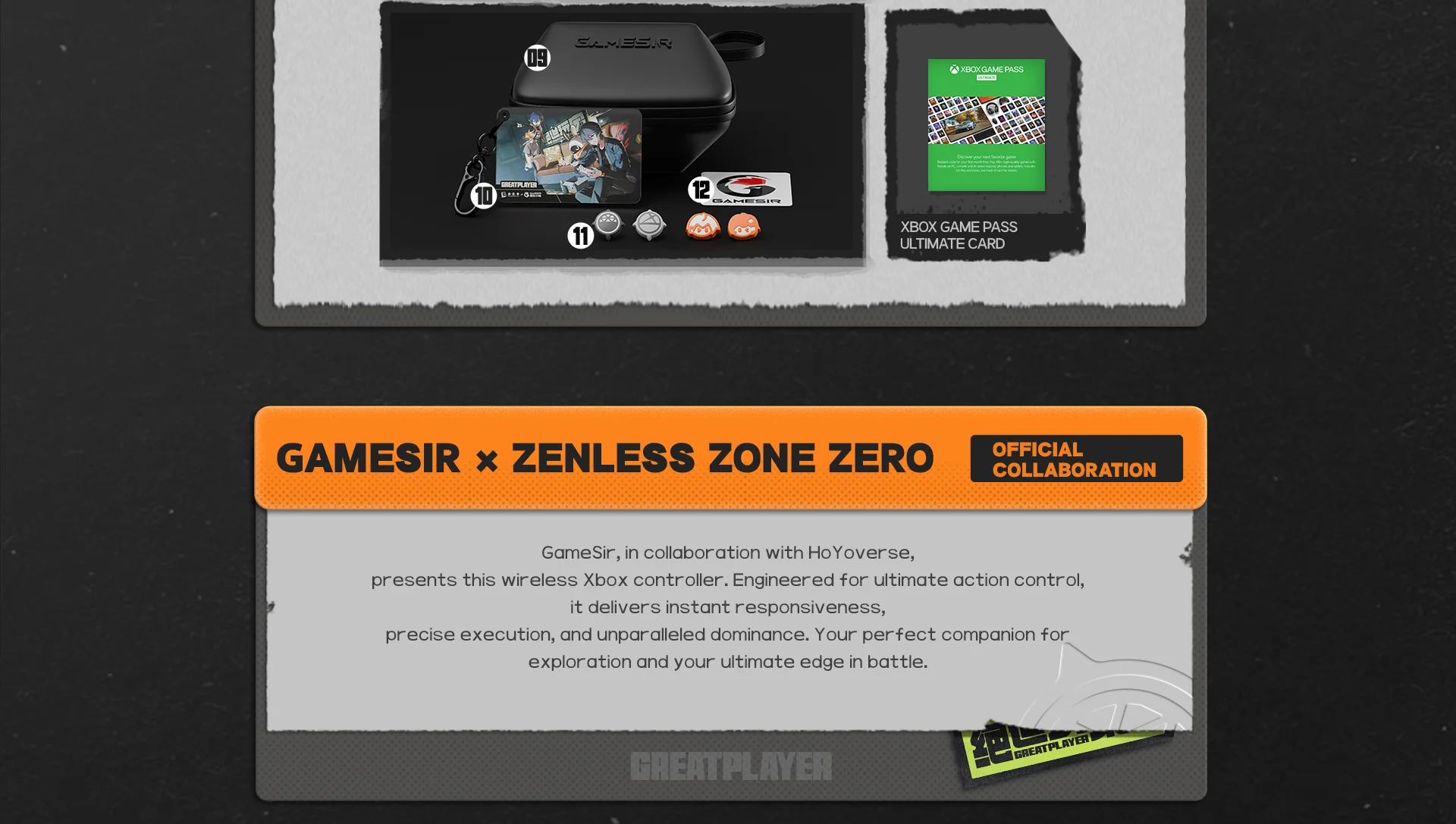
GameSir x Zenless Zone Zero Official Collaboration
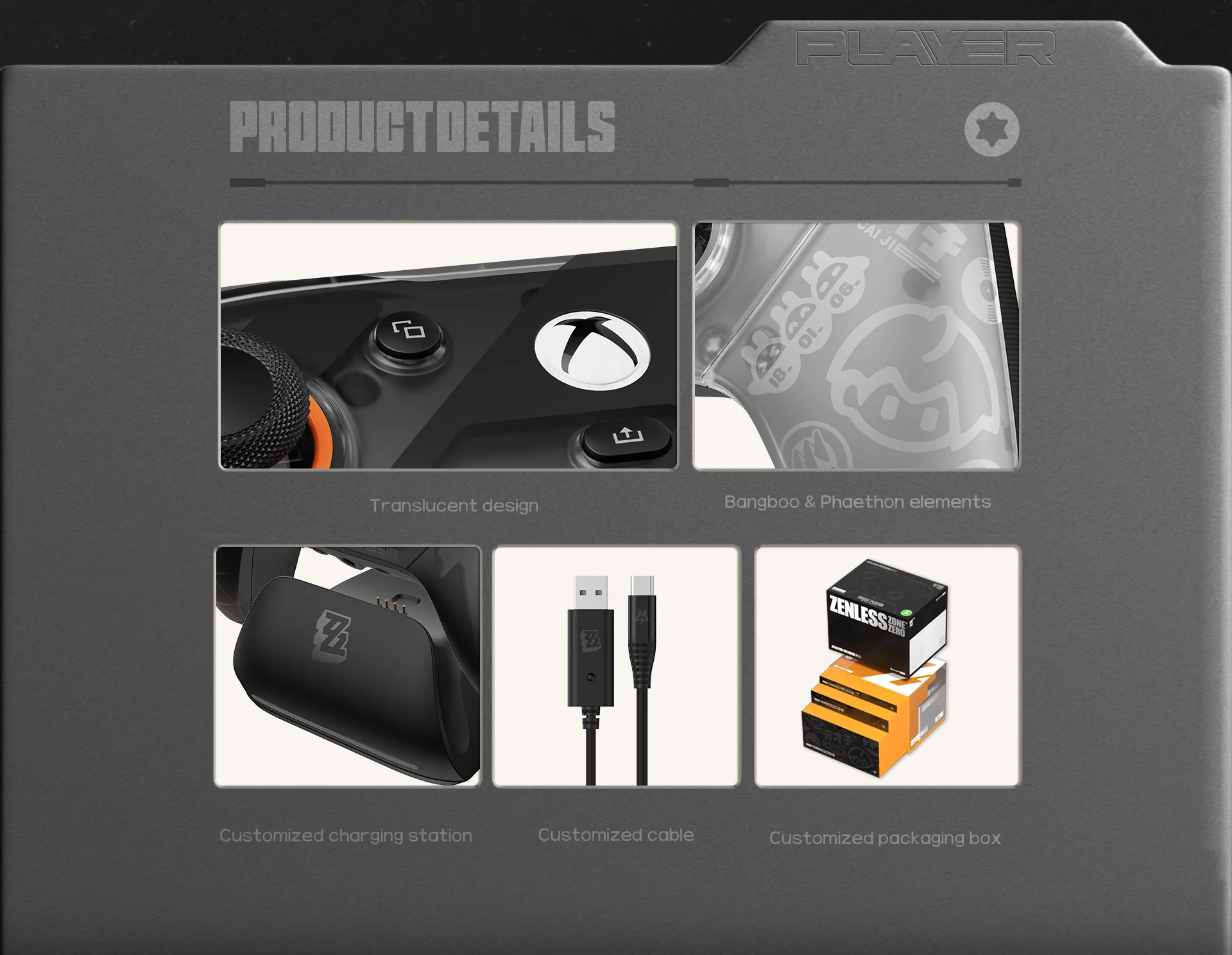
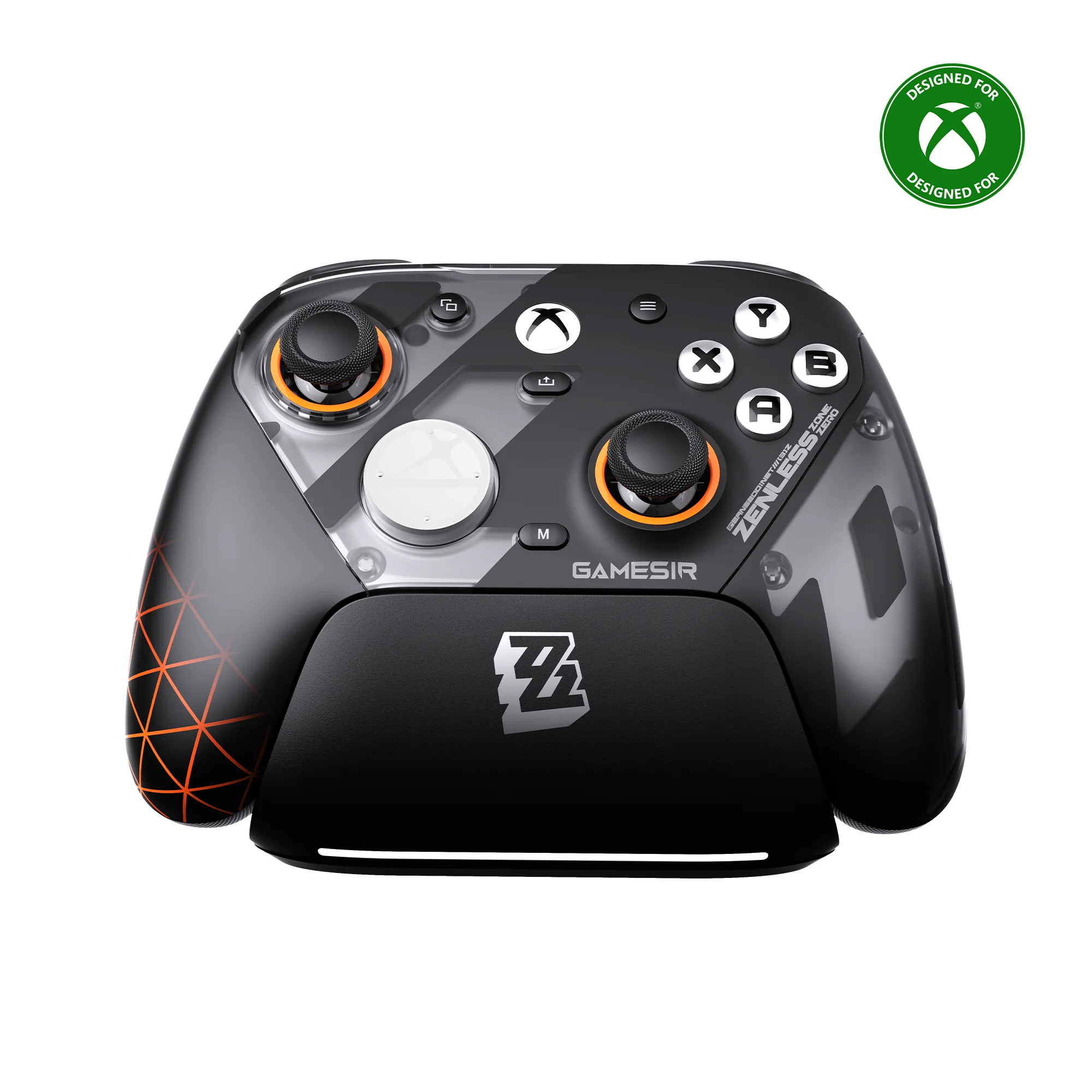
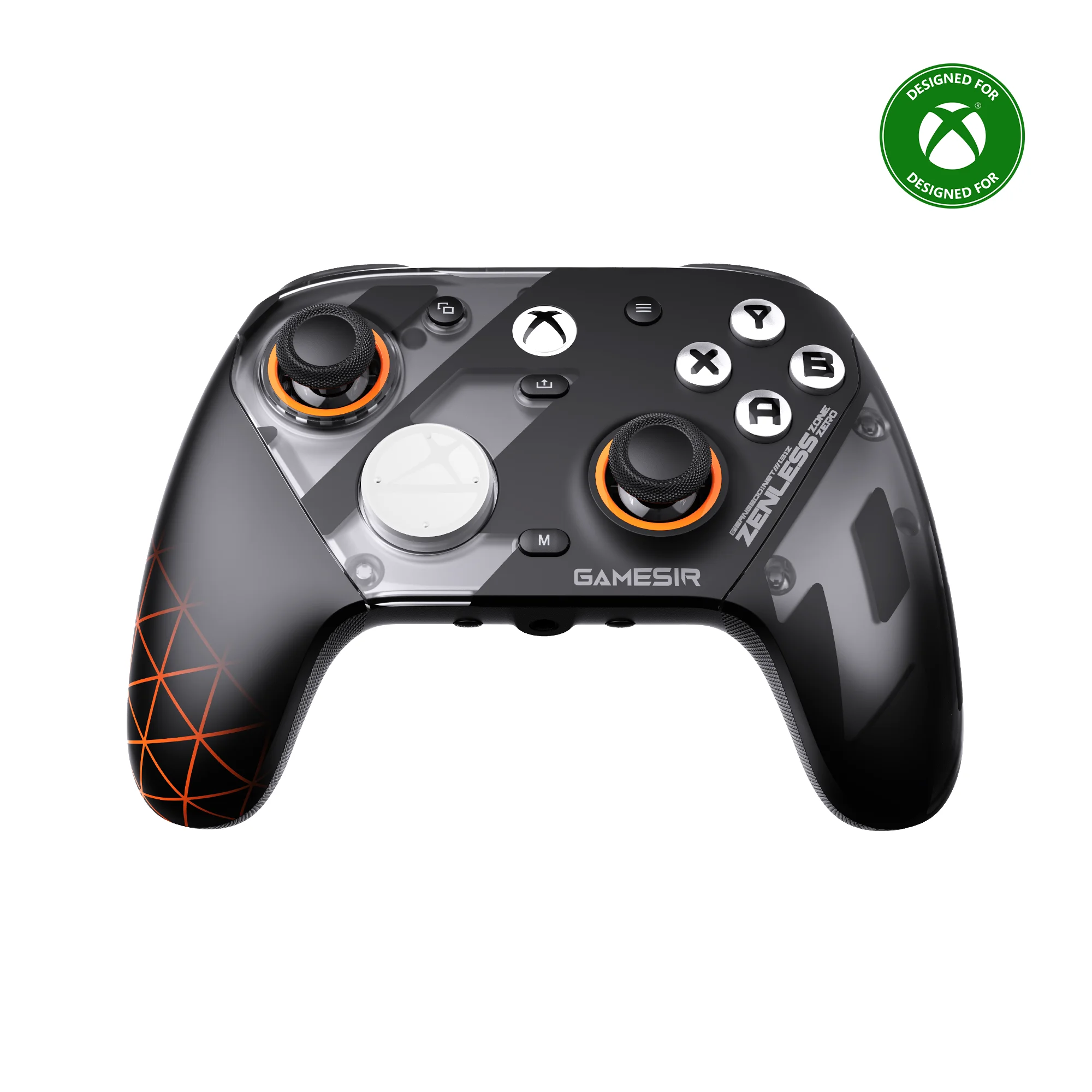
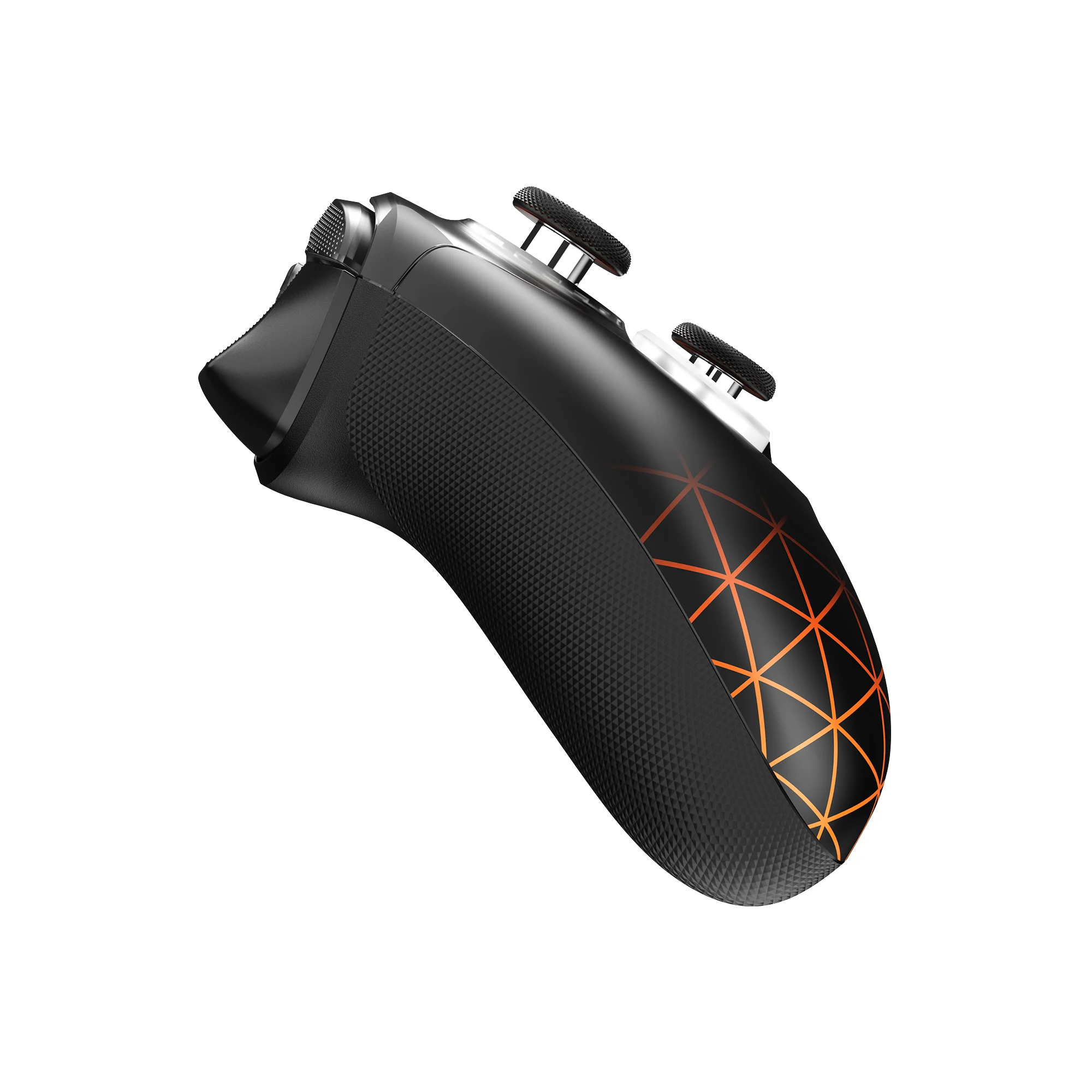
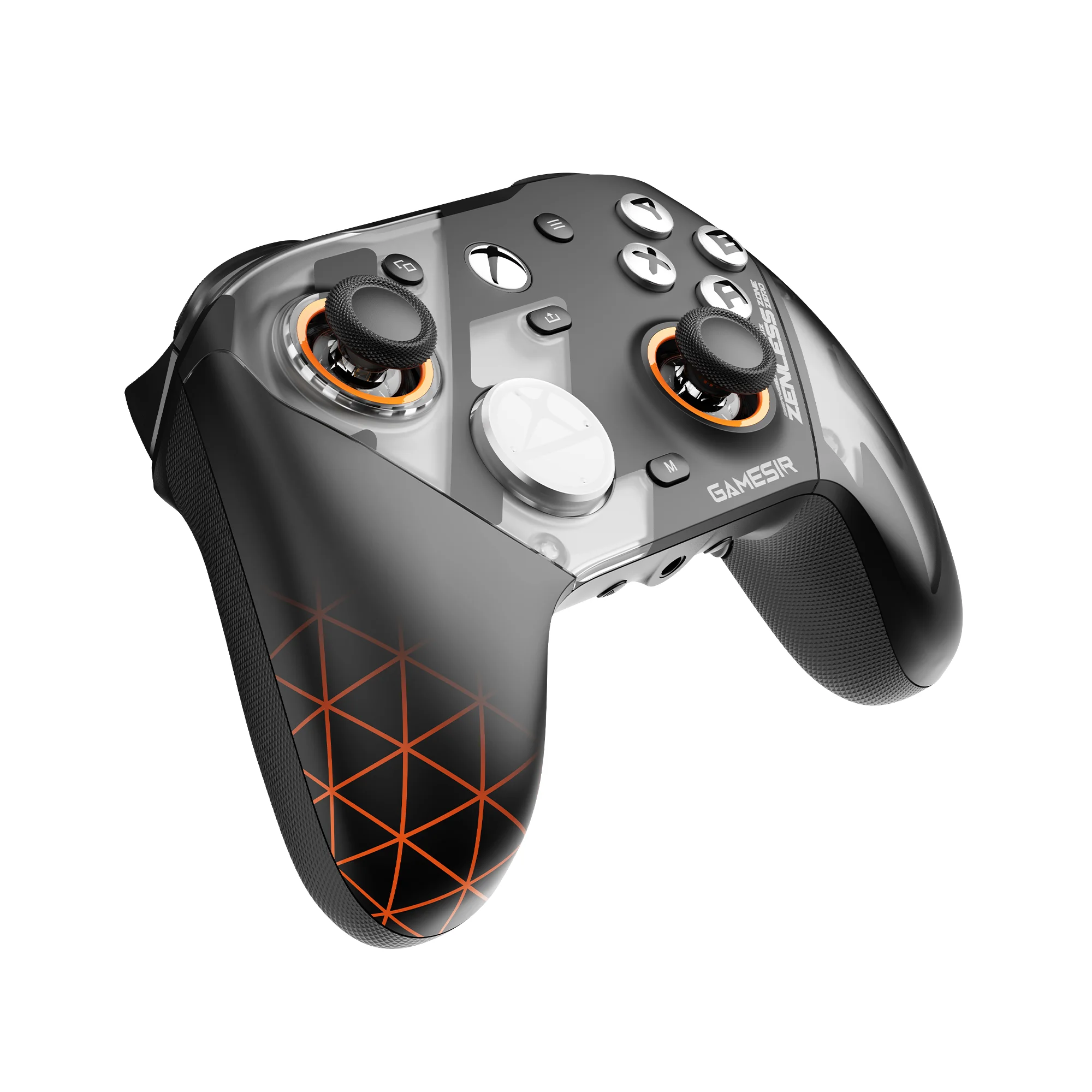
GameSir, in collaboration with HoYoverse, presents this wireless Xbox controller. Engineered for ultimate action control, it delivers instant responsiveness, precise execution, and unparalleled dominance. Blending Bangboo and Phaethon elements with a translucent finish, designed to accompany you on every adventure in New Eridu.Your perfect companion for exploration and your ultimate edge in battle.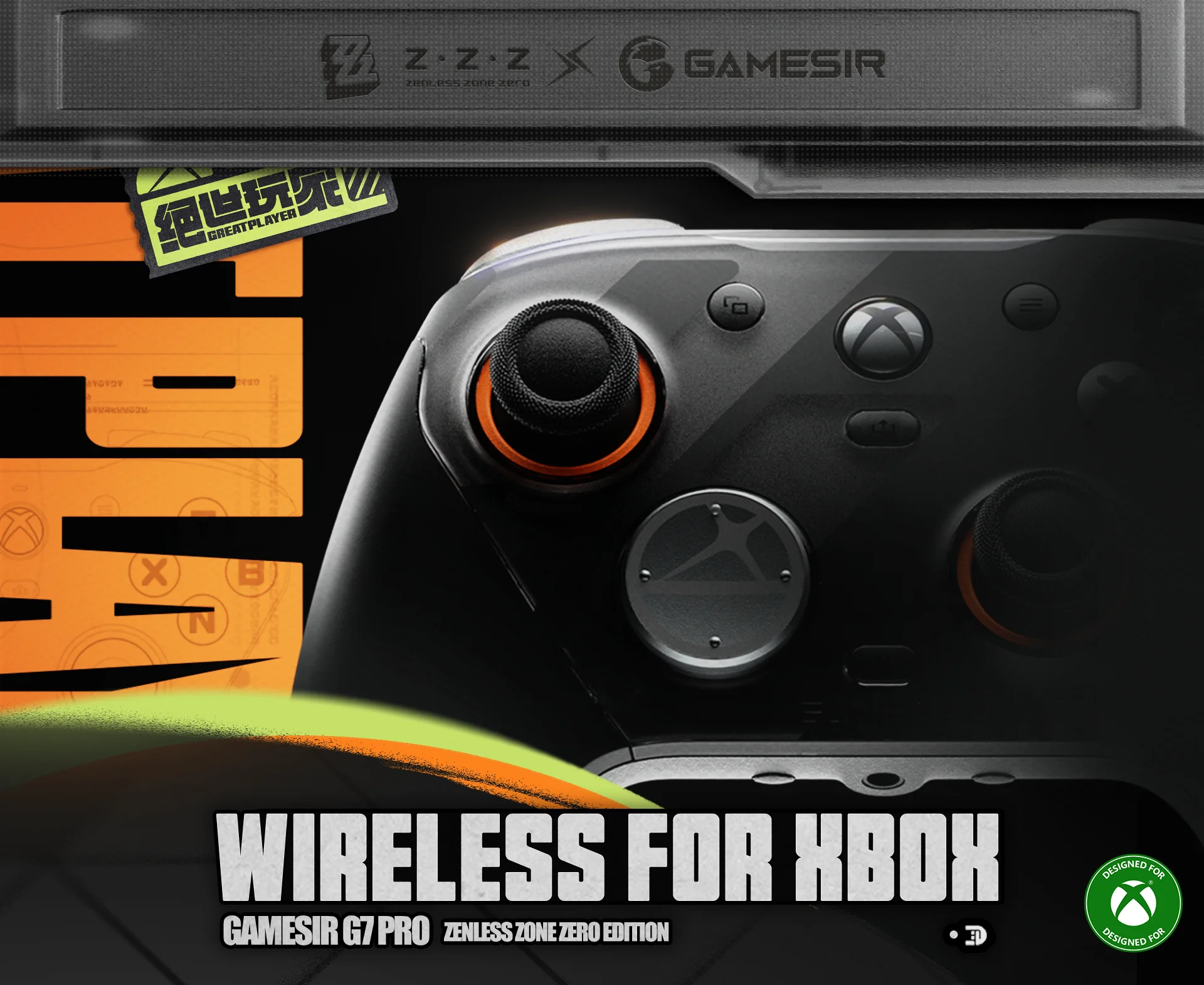
 Tri-mode connectivity- 2.4G Wireless & Wired for Xbox consoles and PC; Bluetooth 5.3 for Android
The G7 ProZenless Zone Zeroedition supports seamless connectivity across Xbox, PC, and Android. Effortlessly switch between modes using the convenient physical mode switch. Choose from 2.4G Wireless & Wired for Xbox consoles and PC; Bluetooth 5.3 for Android. 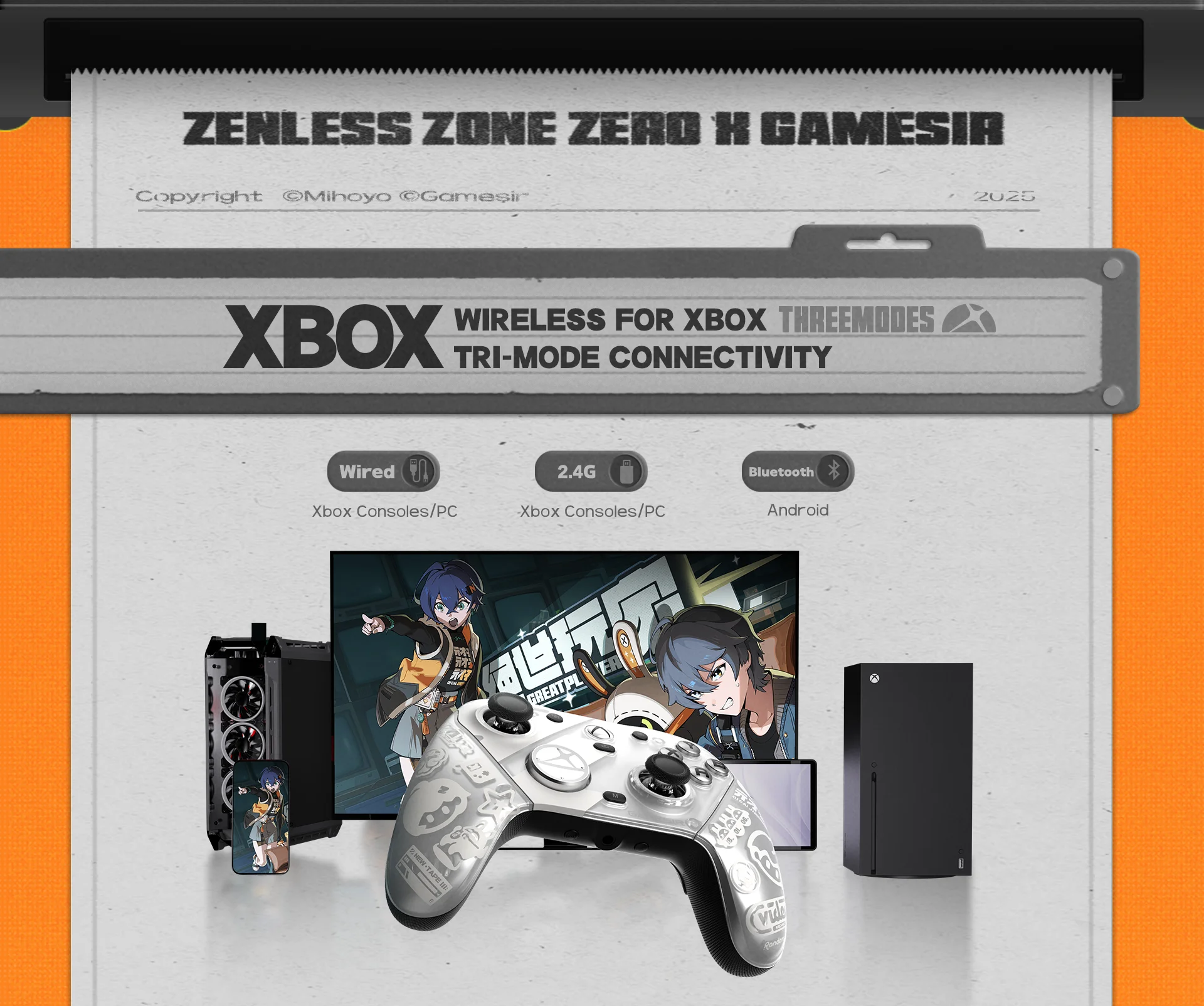 GameSir Mag-Res™ TMR sticks, smooth control and ultra-long lifespan
The G7 Pro Zenless Zone Zeroeditionis equipped with the latest GameSir Mag-Res™TMR sticks, blending the precise performance and low power consumption of traditional potentiometer sticks with the exceptional durability of Hall Effect sticks. This innovative technology ensures a higher and more stable polling rate, offering gamers a smoother, instantaneous, and anti-drift gaming experience like never before.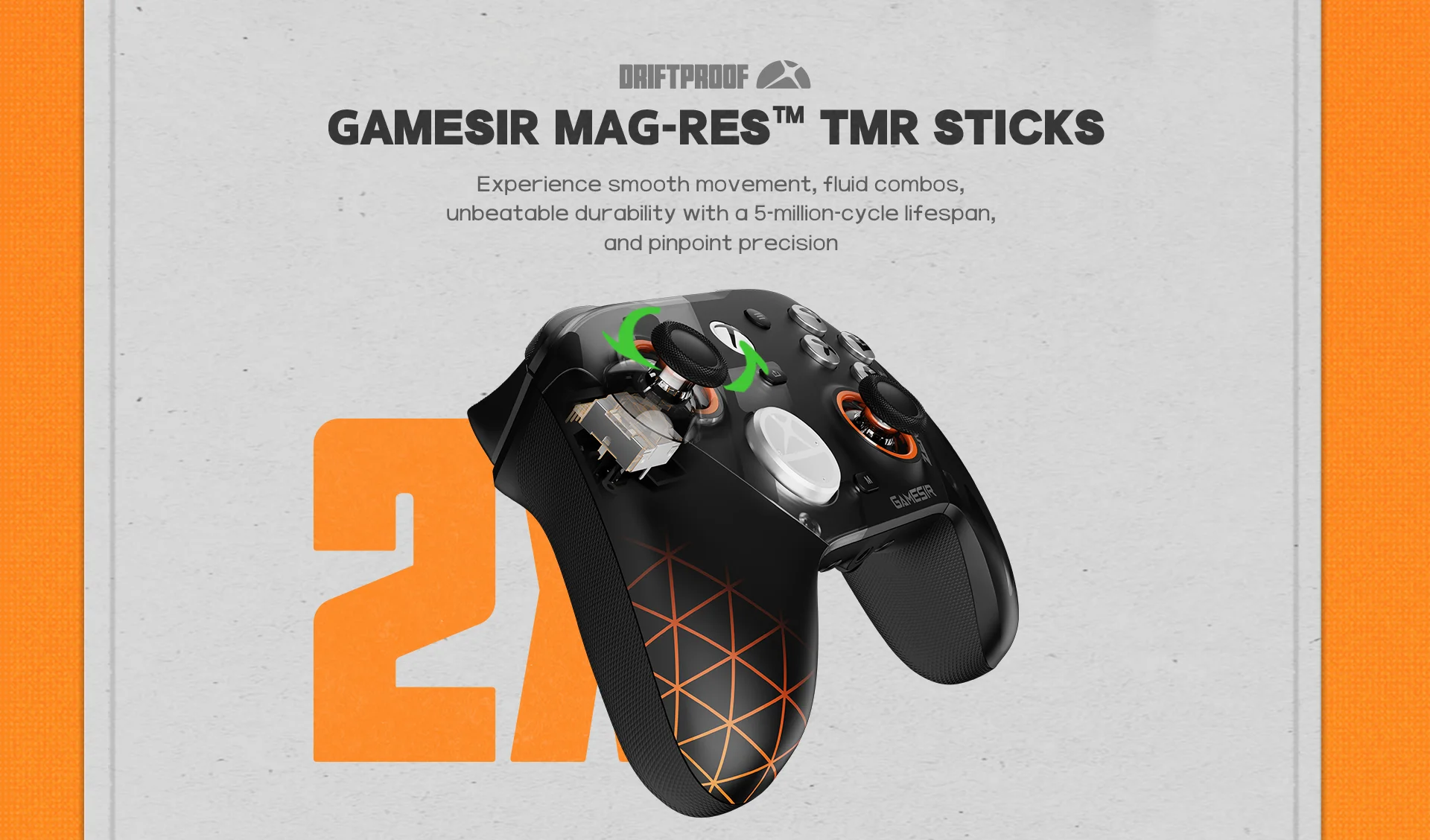 Four remappable buttons for enhanced personalized control
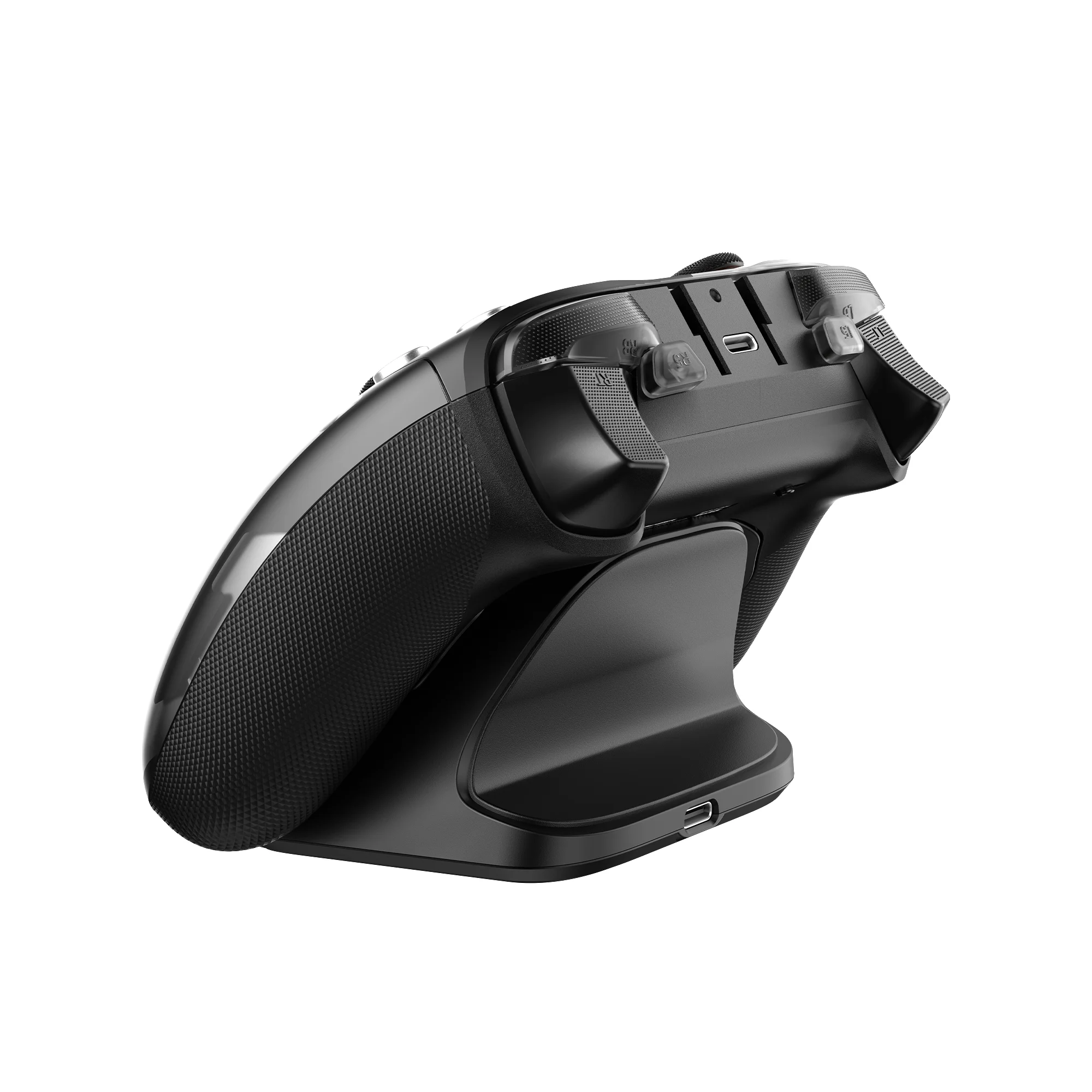
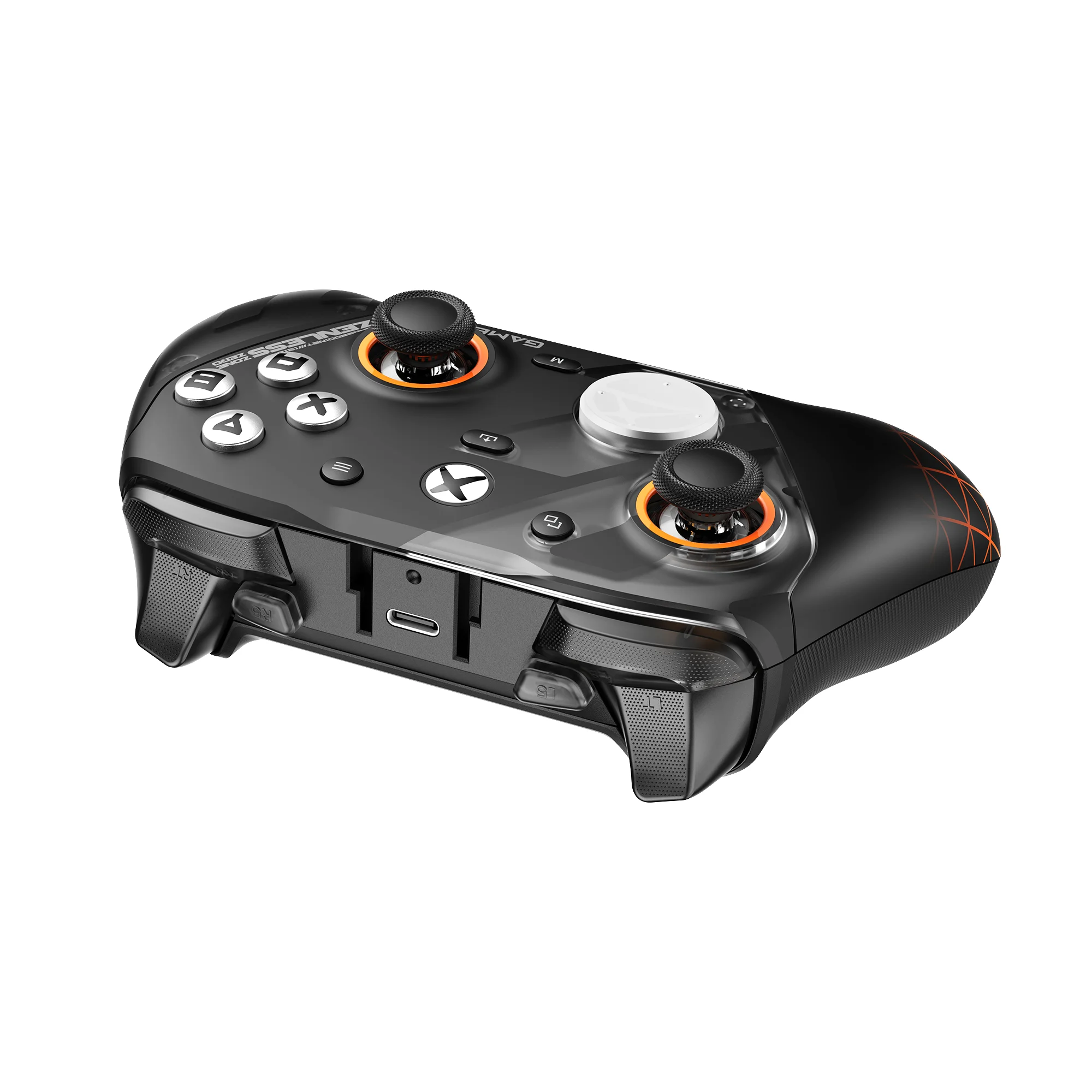
The G7 Pro Zenless Zone Zeroedition features four extra remappable buttons, including two mini bumpers (R5/L5) and two lockable back buttons(R4/L4), allowing gamers to customize their controls.
Built-in gyroscope with mapping function (PC only)
Enhance your control on PC with the built-in gyroscope,which allows you to map the gyroscope to the stick, buttons, or mouse. This enables more precise and intuitive gameplay.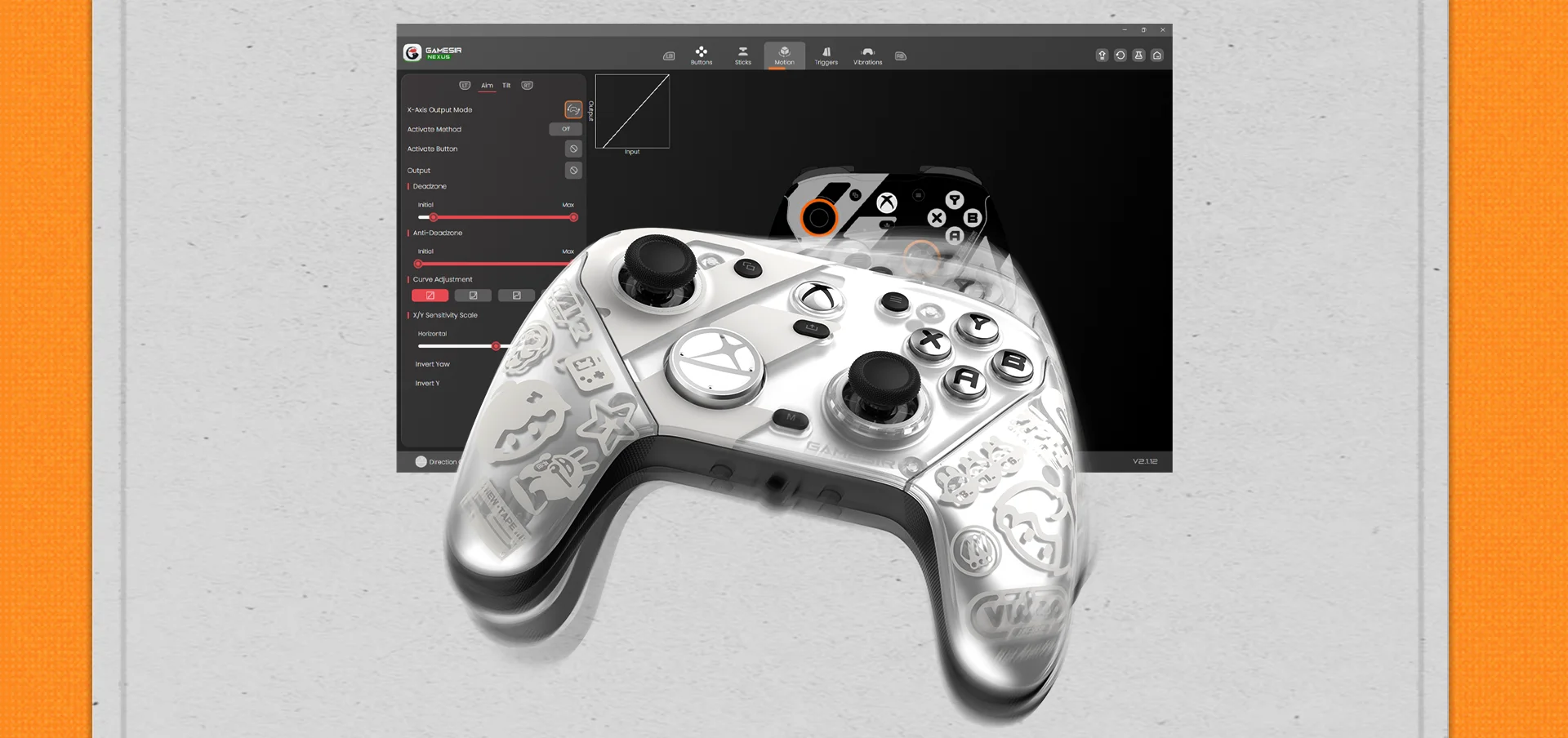 Hall Effect analog triggers, with clicky Micro Switch trigger stops
The GameSir precision-tuned Hall Effect analog triggers provide unmatched smoothness and linear input for precise control. Featuring clicky Micro Switch trigger stops, gamers can easily switch based on their preferences. Additionally, the G7 ProZenless Zone Zeroedition offers a Hair Trigger Mode that can be activated by holding the M+LT/RT buttons. Whether you need precise linear control or ultimate responsiveness, itgives you the competitive edge.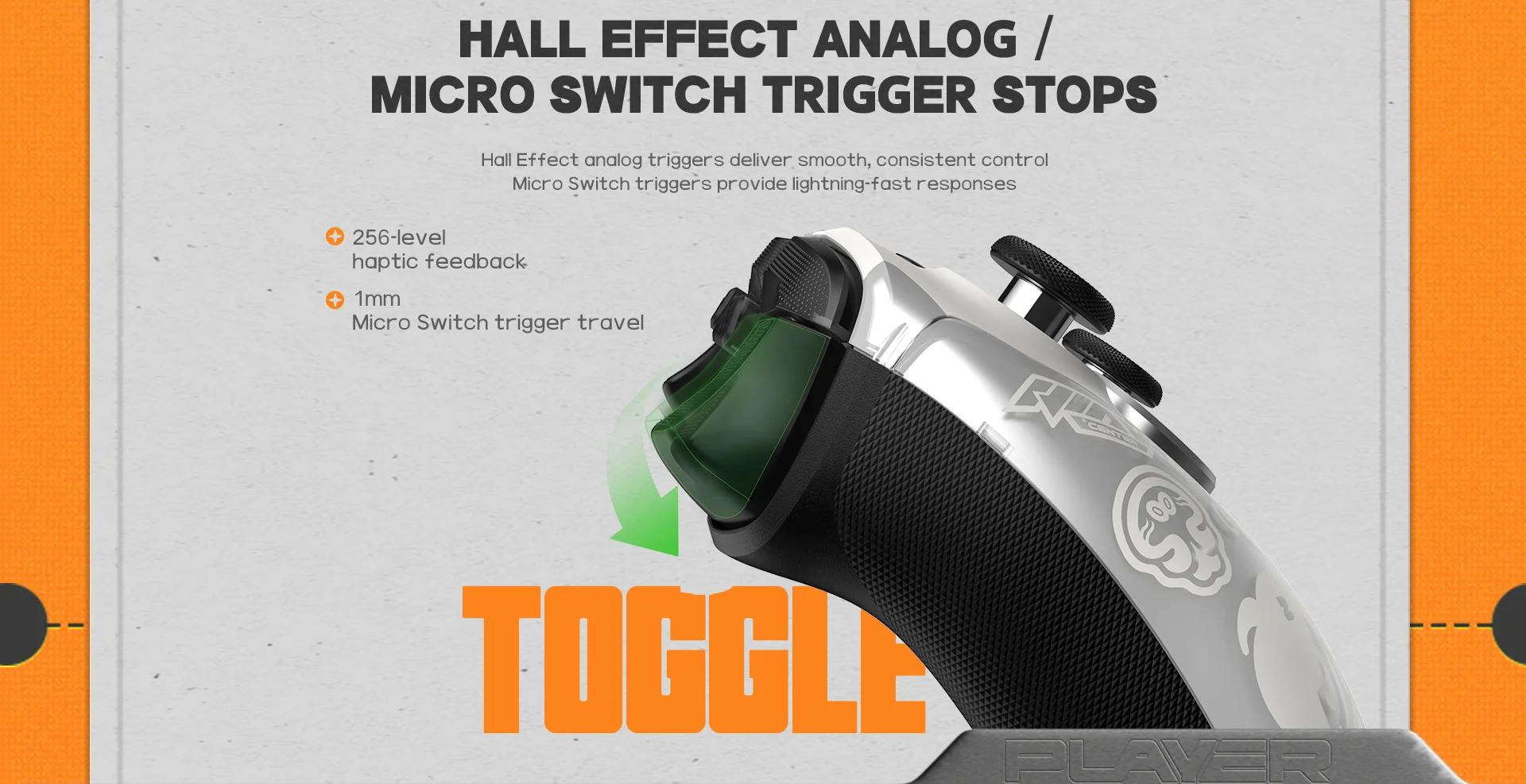 Optical Micro Switch ABXY and Mechanical Micro Switch D-pad
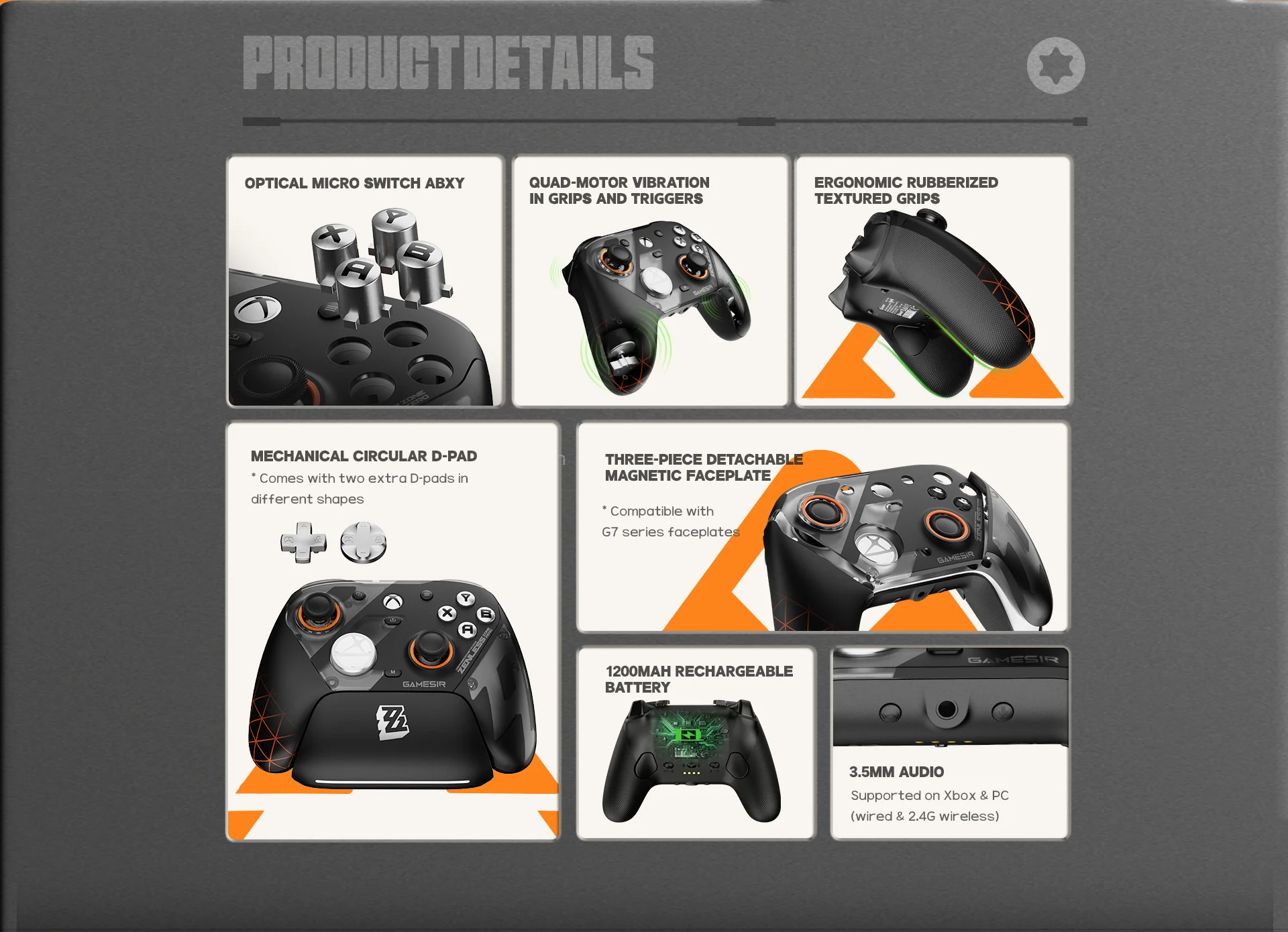
Feel the esports-grade precision with optical micro switch ABXY buttons and a mechanical micro switch D-pad. Designed for tactile feedback and long-lasting durability, every press is crisp and responsive—ensuring consistent performance even during the most intense gaming moments.
Three-part magnetic swappable faceplate and extra D-pads for free customization
Personalize your setup with a three-part magnetic swappable faceplate and two extra D-pads(included), making it easy to match your controller to your unique style or grip preferences. Plus, the G7 Pro Zenless Zone Zeroedition is compatible with faceplates from the previous G7 series, giving you even more ways to customize.
Please note: While G7 series faceplates are compatible with the G7 Pro, the G7 Pro’s faceplate is not compatible with other G7 series controllers (G7, G7 SE, and G7 HE).
Smart Auto Start-Stop Charging Station
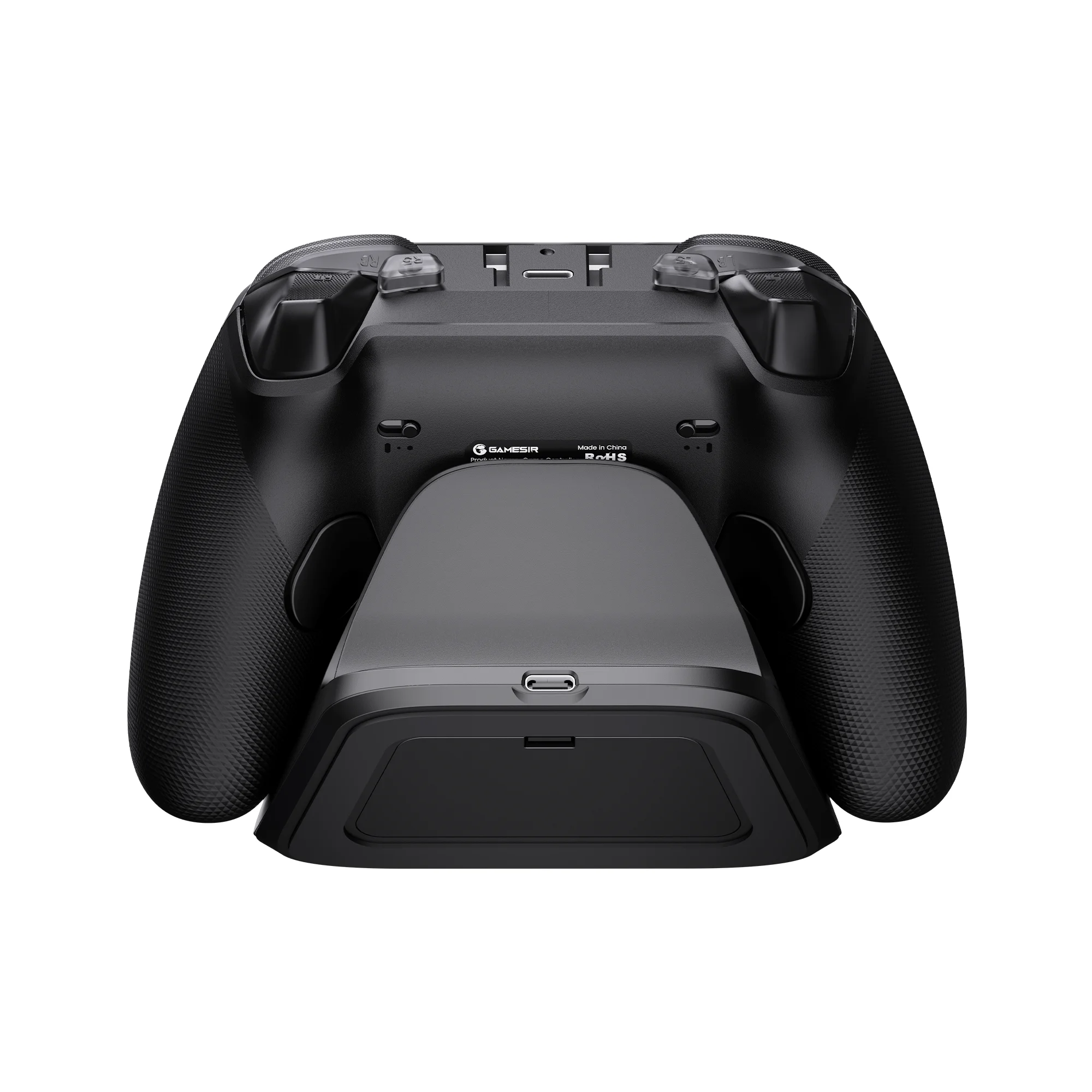
The G7 Pro Zenless Zone Zeroedition comes with a smart auto start-stop charging station and a built-in 1200mAh battery, delivering extended battery life for hours of uninterrupted gameplay. Simply place the controller on the station to begin charging, and pick it up to play. The station also includes a receiver storage compartment at the base, allowing you to extend the cable’s reach or to securely store the receiver when not in use.
3.5mm audio, supported via both wired & 2.4G wireless
The G7 Pro Zenless Zone Zeroedition supports 3.5mm audio output via both wired & 2.4G wireless connections, delivering a more convenient and immersive gaming experience.
 Full customization via GameSir Nexus app
The G7 Pro Zenless Zone Zeroedition is compatible with the GameSir Nexus app. It offers powerful features such as gyro settings, stick curve adjustments, and button-to-mouse mapping, giving you full control and customization to tailor your gaming experience exactly how you like.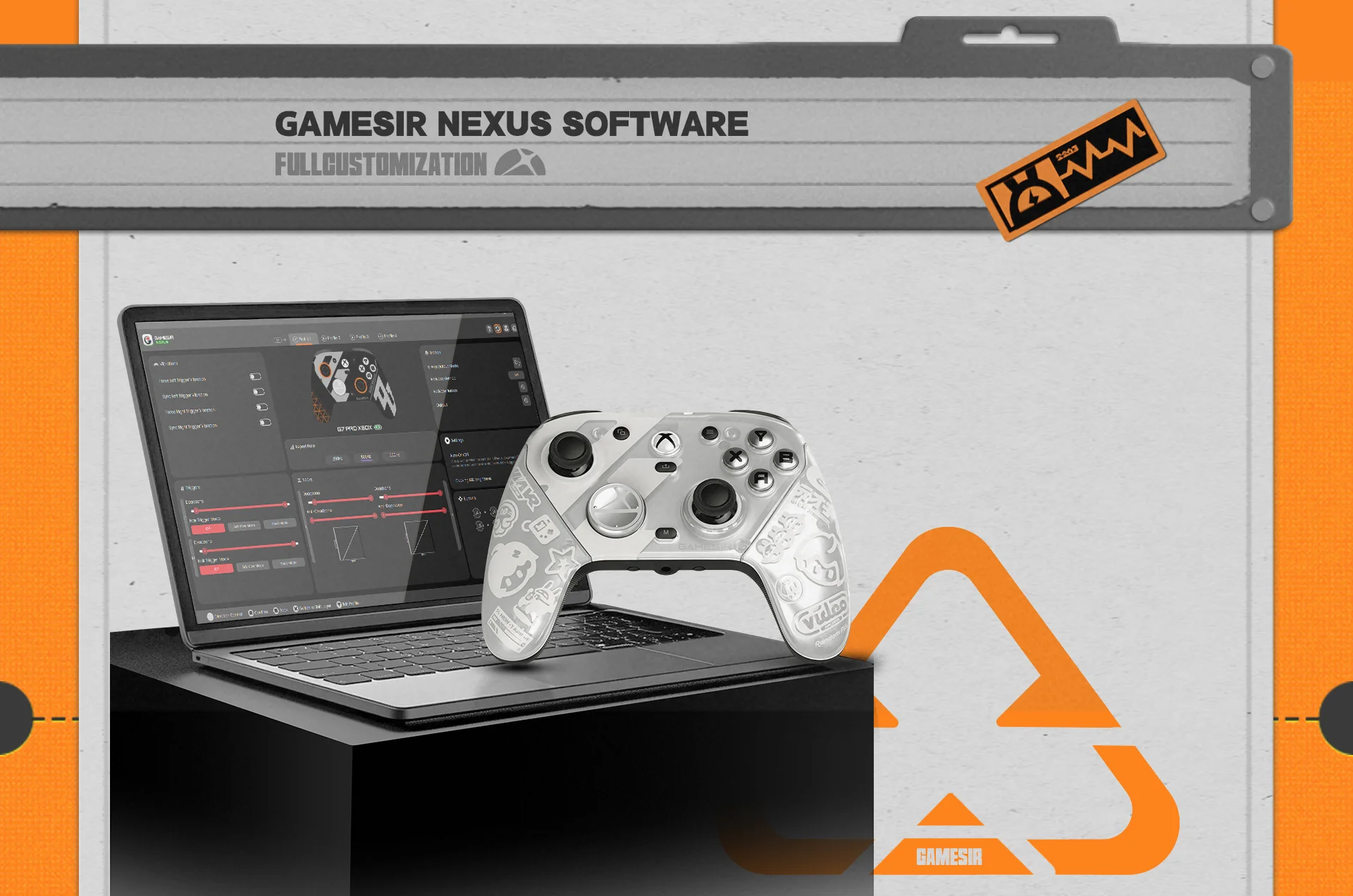
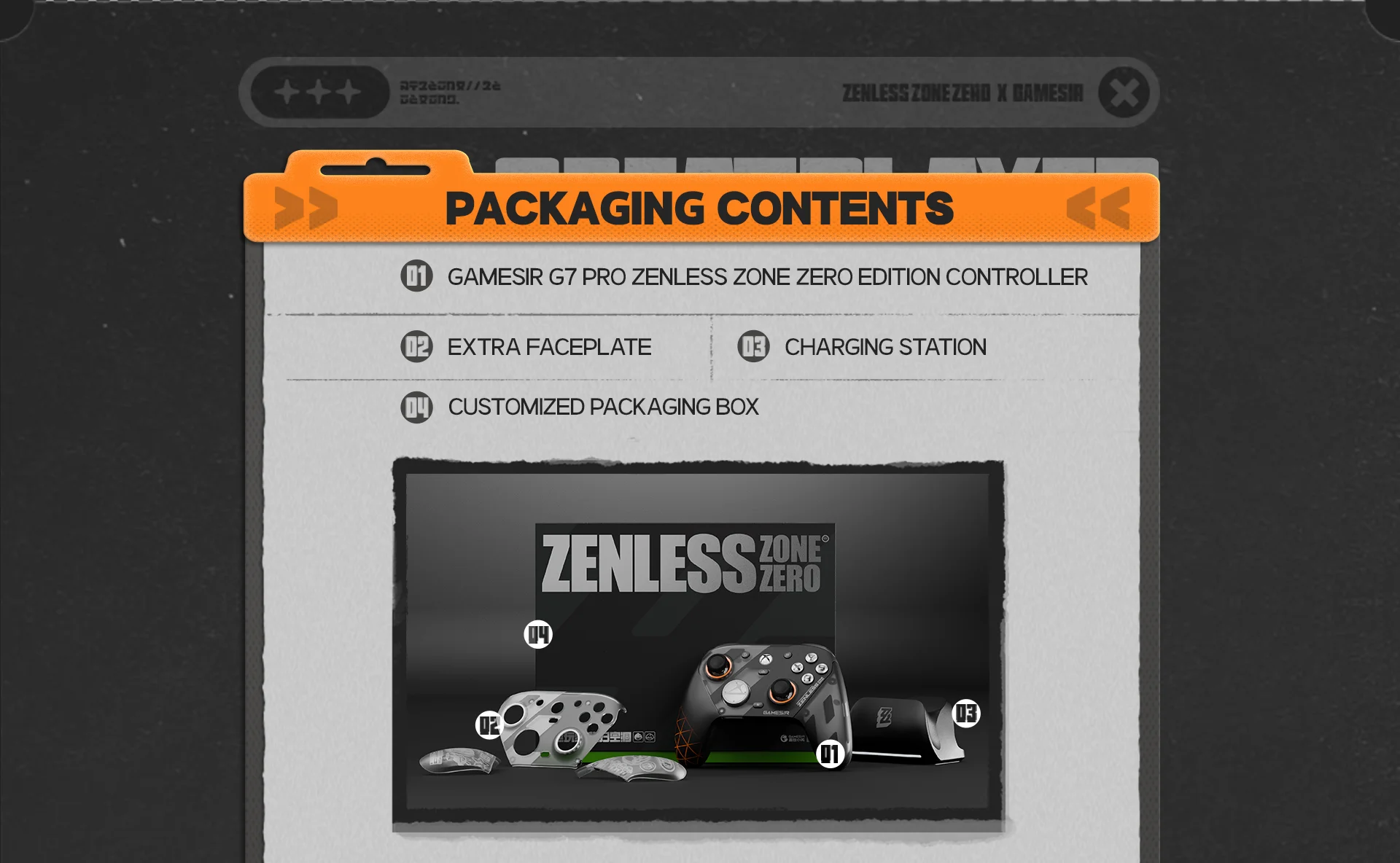
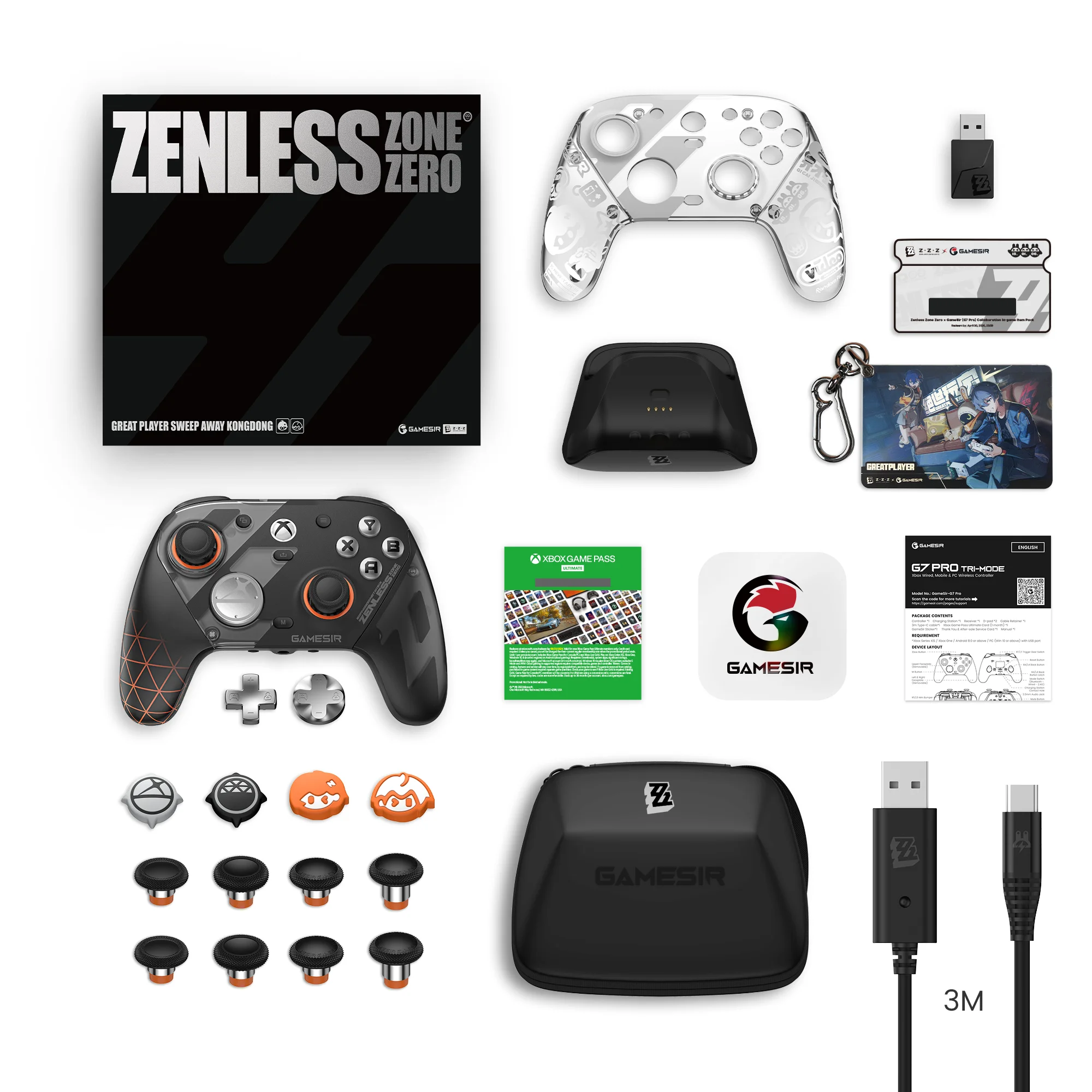
PACKAGING CONTENTS:
Controller ×1
[Great Player] Additional Faceplate ×1
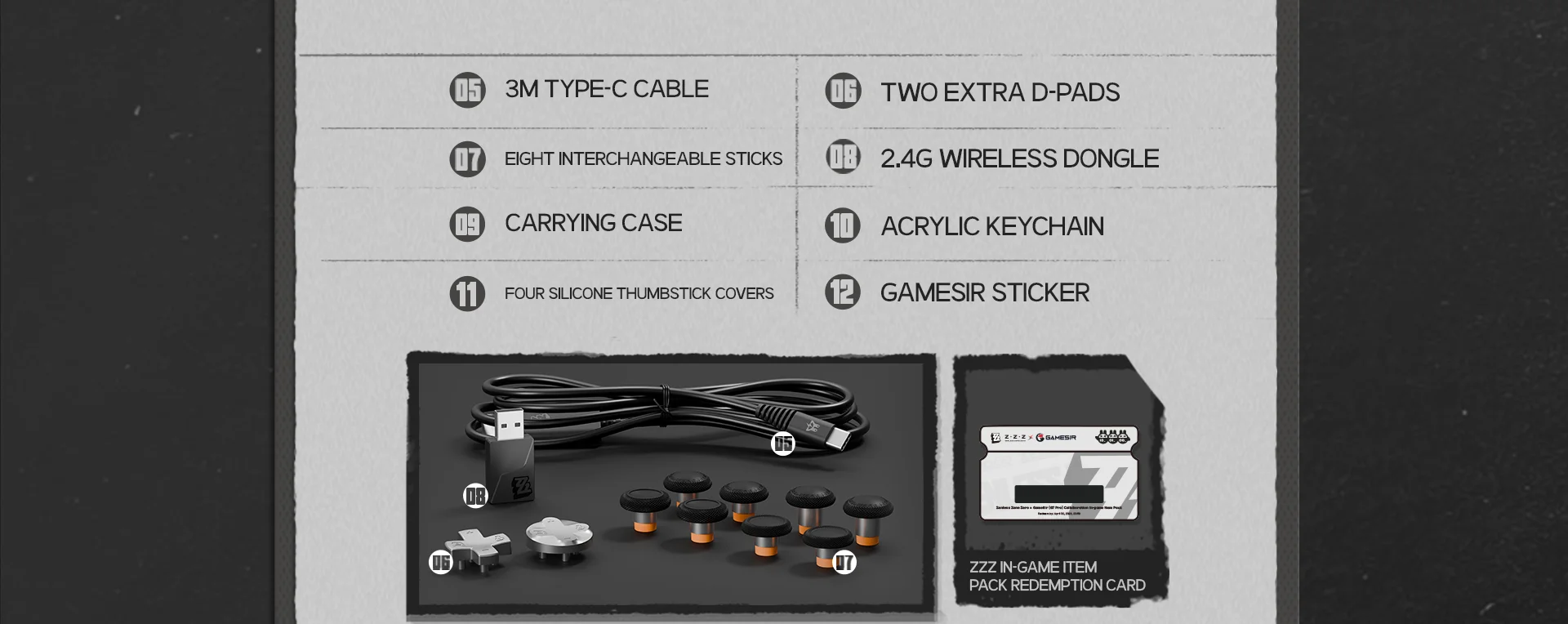
[Great Player] Acrylic keychain×1
[Great Player] Silicone Thumbstick Cover ×4
D-pad ×2
Interchangeable Stick ×8
Carrying Case ×1
Charging Station ×1
Receiver ×1
3m Type-C cable×1
Xbox Game Pass Ultimate Card (1 month) ×1
ZZZ In-Game Item Pack Redemption Card×1
GameSir Sticker×1
Thank You & After-sale Service Card ×1
Manual ×1
INSTRUCTIONS:
WINDOWS CONNECTION TUTORIAL |
WIRED CONNECTION
1. Use the included Type-C cable to connect the controller to your computer, then press the Xbox button briefly to power on.
2. Once connected successfully, the Xbox indicator will remain solid.
RECEIVER CONNECTION
1. Insert the receiver into the computer.
2. Toggle the controller's mode switch to the 2.4G mode, and press the Xbox button briefly to power on. Wait for the controller to connect.
3. Once connected successfully, the Xbox indicator will remain solid.
ANDROID CONNECTION TUTORIAL
BLUETOOTH CONNECTION
1. Toggle the controller's mode switch to the Bluetoothmode, and press the Xbox button briefly to power on.
2. Open the Bluetooth list on your phone, find the device named GameSir-G7 Pro, and click to connect.
3. Once connected successfully, the Xbox indicator will remain solid.
* If the connection is unsuccessful, press and hold the paring button on the controller to re-enter pairing status.
XBOX CONNECTION TUTORIAL
WIRED CONNECTION
1. Use the included Type-C cable to connect the controller to the Xbox console, then press the Xbox button briefly to power on.
2. Once connected successfully, the Xbox indicator will remain solid.
RECEIVER CONNECTION
1. Insert the receiver into the computer.
2. Toggle the controller's mode switch to the 2.4G mode, and press the Xbox button briefly to power on. Wait for the controller to connect.
3. Once connected successfully, the Xbox indicator will remain solid.
VOLUME ADJUSTMENT
1. Hold the Mbutton + the D-pad up/down to increase/decrease the main volume(11 levels in total).
*A sound cue will be provided when adjusting to the maximum or minimum level.
*Requires headset connection.
2. Hold the Mbutton + the D-pad left/right to increase game volume (while decreasing voice volume) / decrease game volume (while increasing voice volume).
*A sound cue will be provided when adjusting to the maximum, medium or minimum level.
*Only works on Xbox consoles.
3. Mute Function: Press the mute button to enable the mute function; the mute indicator will turn solid red. Press the mute button again to disable the mute function (default state); the mute indicator will turn off.
While the mute function is active, holding the mute button will temporarily disable it. Release the button to restore the mute function.
EXTRA BUTTON SETTING
Set the extra button value: Press and hold the M button + L4/R4/L5/R5 button, and the Xbox indicator will start flashing slowly. Press the button you want to map to the extra button, and the Xbox indicator will return to a solid light, indicating that the extra button setting is complete.
* Within the setting mode, pressing the corresponding extra button will clear its button value.
STICKS & TRIGGERS CALIBRATION
1. Set the trigger to analog mode, then press and hold until the Xbox indicator starts flashing slowly.
2. Ensure that the LT & RT triggers and the left & right sticks are not being touched. Then Press the A button. The Xbox indicator will turn off.
3. Press the LT & RT triggers to their maximum travelfor 3 times. Rotate the left & rightsticks to their maximum angles for 3 times. Press the A button.A solid light on the Xbox indicator indicatesthat the calibration is complete.
CONTROLLER RESET
If the controller encounters issues such as being unable to power on or off properly, you can use a small object similar to the size of a paperclip to press the Reset button inside the circular hole on the back of the controller. This will force the controller to power off.
FAQ:
1. What platforms does the G7 Pro Zenless Zone Zeroedition support?
It supports Xbox, PC, and Android.
2. Does the G7 Zenless Zone Zero edition use a wired or wireless connection?
It offers tri-mode connectivity:
· 2.4G wireless & Wired for Xbox consoles and PC
· Bluetooth 5.3 for Android
3. What are the special features of the sticks?
The G7 ProZenless Zone Zeroedition is equipped with the latest GameSir Mag-Res™ TMR sticks, combining the precise performance and low power consumption of traditional potentiometer sticks with the exceptional durability of Hall Effect sticks, offering gamers a smoother, instantaneous, and anti-drift gaming experience like never before.
4. Does the G7 Pro Zenless Zone Zero editionhave Hall Effect analog triggers?
Yes, it features Hall Effect analog triggers with clicky Micro Switch trigger stops. It also includes a Hair trigger mode, activated by holding M + LT/RT.
5. How many rumble motors does the G7 Pro Zenless Zone Zero editionhave?
It has 4 rumble motors, one in each grip and trigger, providing immersive haptic feedback.
6. How many mappable buttons does the G7 Pro Zenless Zone Zero editionhave?
It has 4 mappable buttons: 2 mini bumpers (R5/L5) and 2 lockable back buttons (R4/L4).
7. What is the function of the back button latches?
The latches allow gamers to enable or disable the back buttons to prevent unintended inputs.
8. What is the function of the mode switch?
The mode switch allows for quick and easy switching between connection modes for added convenience.
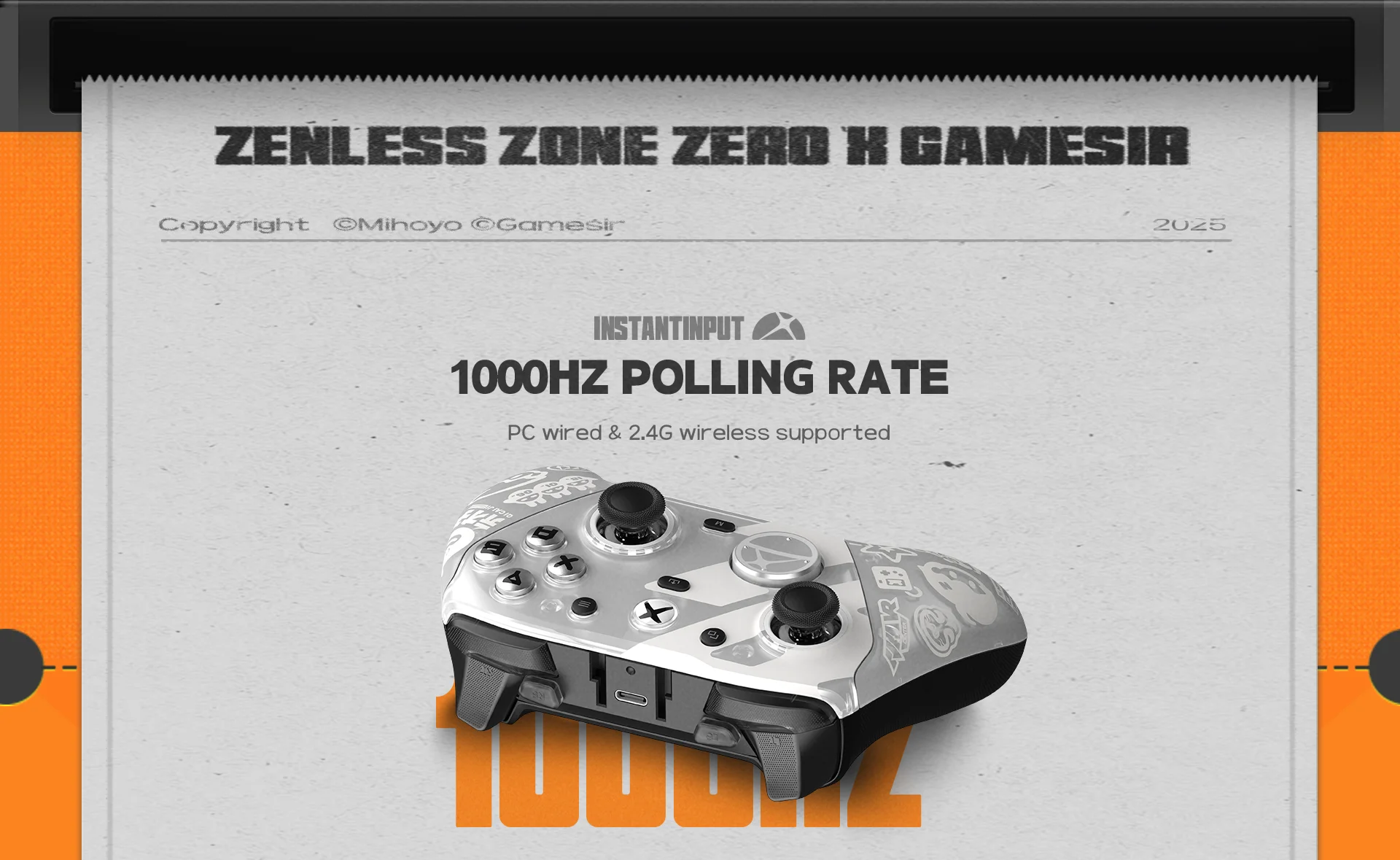
9. Does the G7 Pro Zenless Zone Zero editionsupport a 1000Hz polling rate on PC?
Yes, it supports a 1000Hz polling rate on PC via both wired and 2.4G connections.
10. Does the G7 Pro Zenless Zone Zero editionsupportmotion control?
Yes, it features a built-in gyroscope with mapping support.(PC only)
11. Does the G7 Pro Zenless Zone Zero editionhave software support?
Yes, it supports the GameSir Nexus app, enabling advanced customizations such as gyro settings, stick curve adjustments, and button-to-mouse mapping.
12. Does the G7 Pro Zenless Zone Zero editionsupport audio?
Yes, it supports 3.5mm audio output via both wired & 2.4G wireless connections.
13. Does the G7 Pro Zenless Zone Zero editionhave a swappable faceplate? Is it compatible with the previous G7 series faceplates?
Yes, it features a three-part magnetic swappable faceplateand is compatible with faceplates from the previous G7 series. However, its faceplate is not compatible with other G7 series controllers, including the G7, G7 SE, and G7 HE.
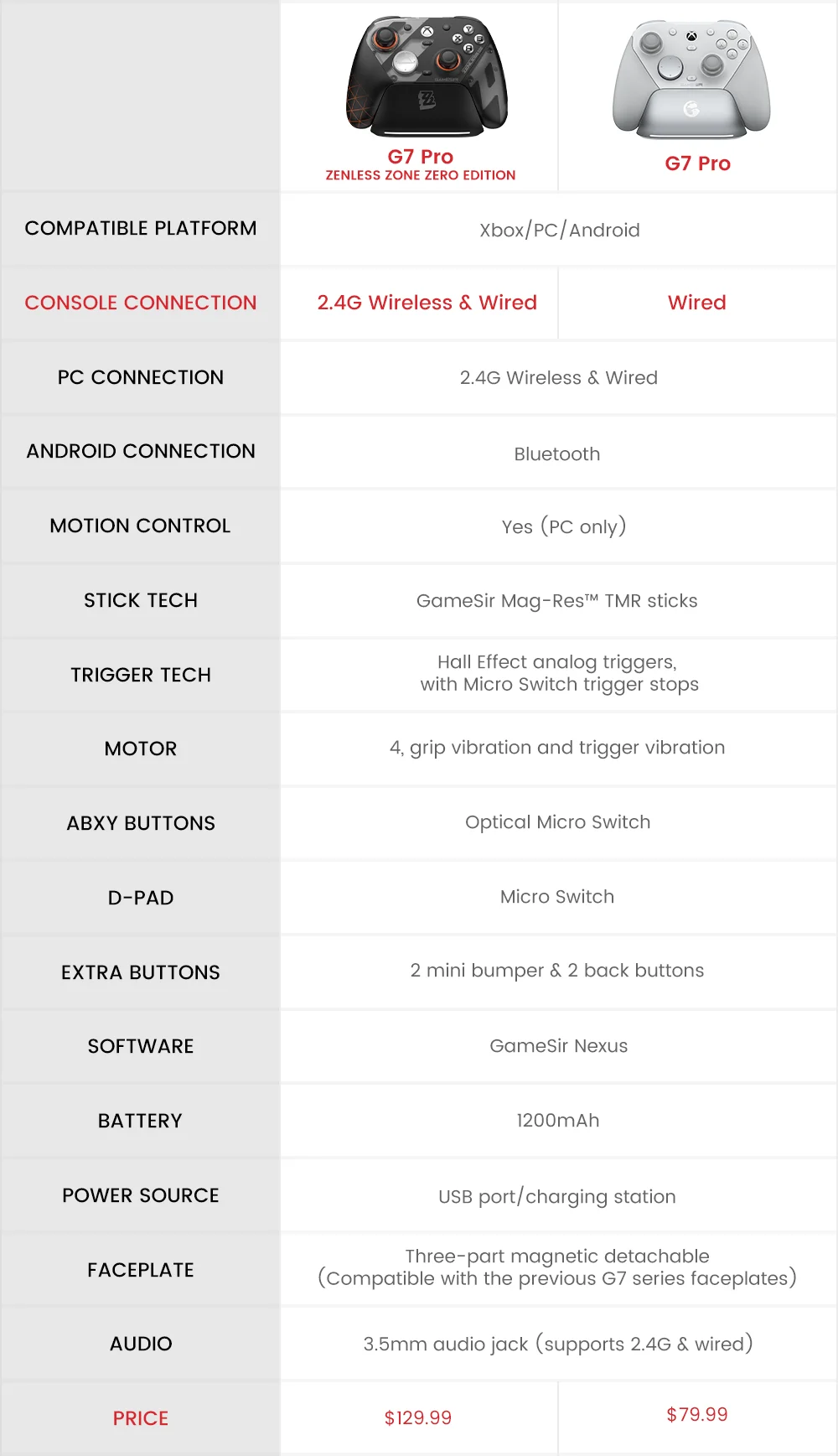
14. What are the differences between the G7 Pro Zenless Zone Zeroeditionand the original G7 Pro?
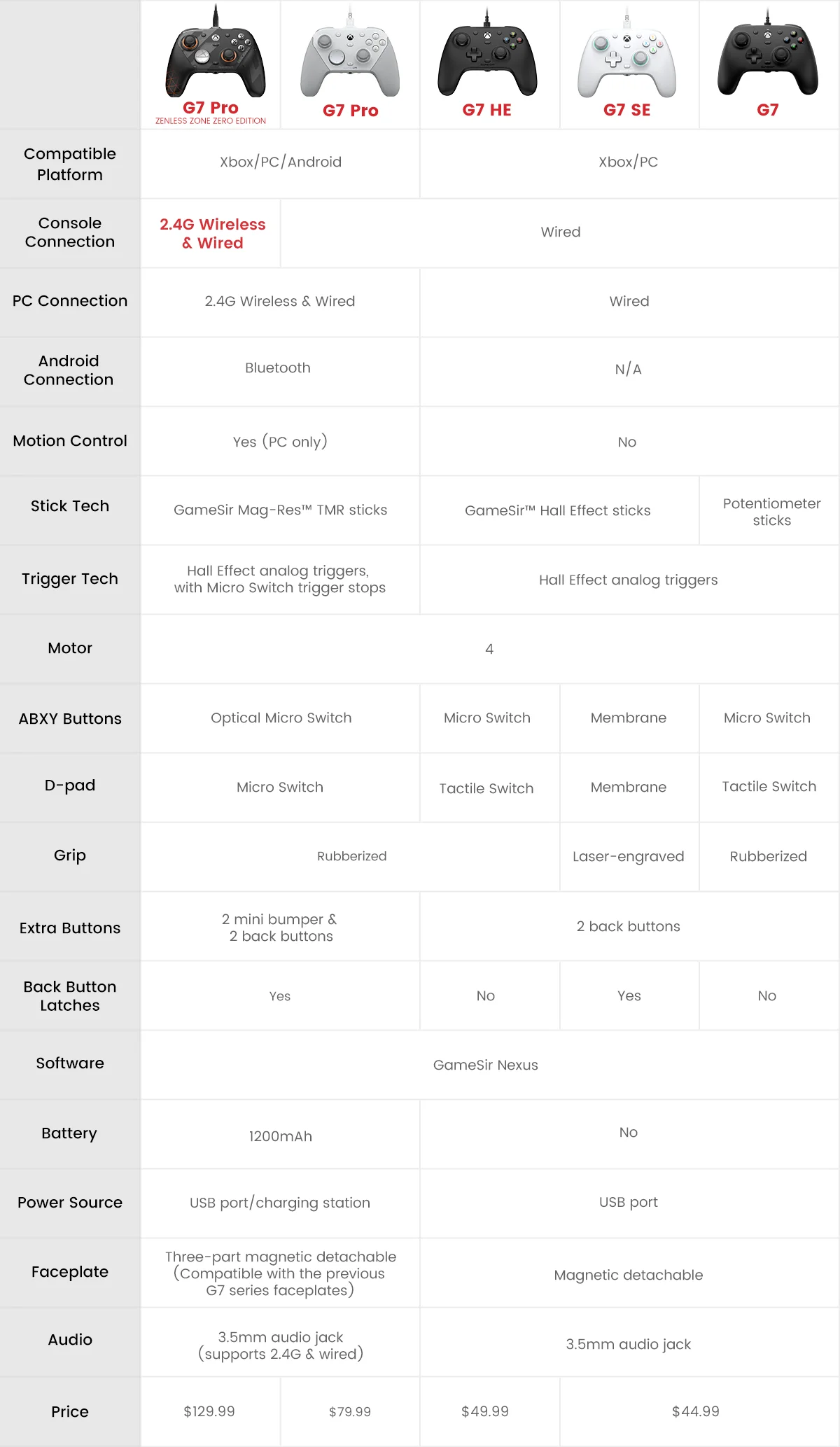
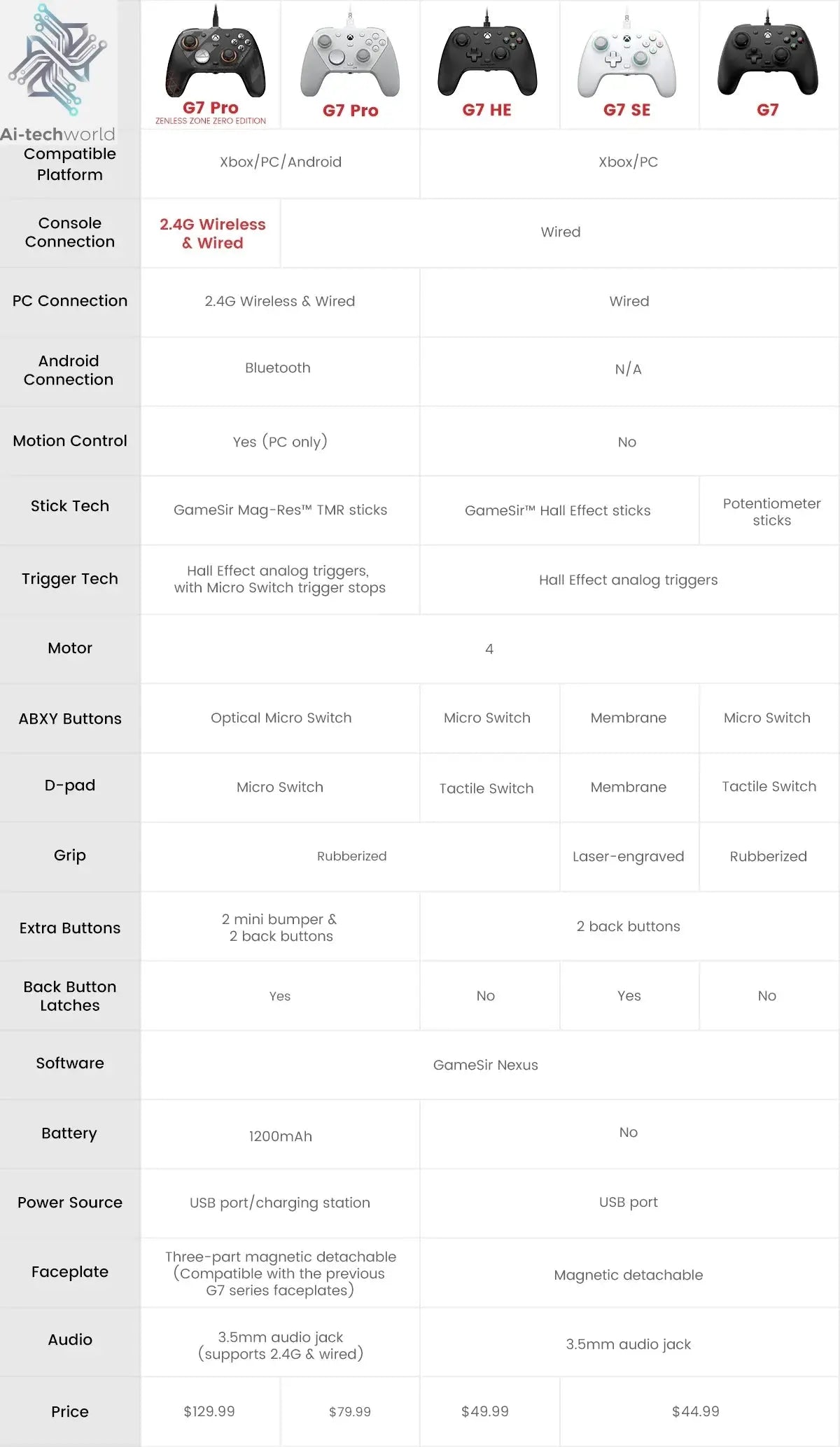
15. What are the differences between the G7 ProZenless Zone Zero edition, the original G7 Pro, G7 HE, G7 SE and G7?
Care Instructions
Care Instructions
Shipping Policy
Shipping Policy




Started in New York, USA, our
Our journey began with a passion for innovation and a commitment to smarter living. Inspired by the city's energy and forward-thinking mindset, we set out to bring cutting-edge technology into everyday life. From smart homes to wellness gadgets, every product reflects our drive to simplify, empower, and elevate modern living.
Your Hub for AI & Smart Tech Essentials
Discover cutting-edge gadgets that simplify, secure, and elevate your daily life. From smart home automation to fitness tech and AI companions, our collection brings innovation to your fingertips. Ai-Tech World is your go-to destination for modern tools designed to enhance how you live, work, and connect.